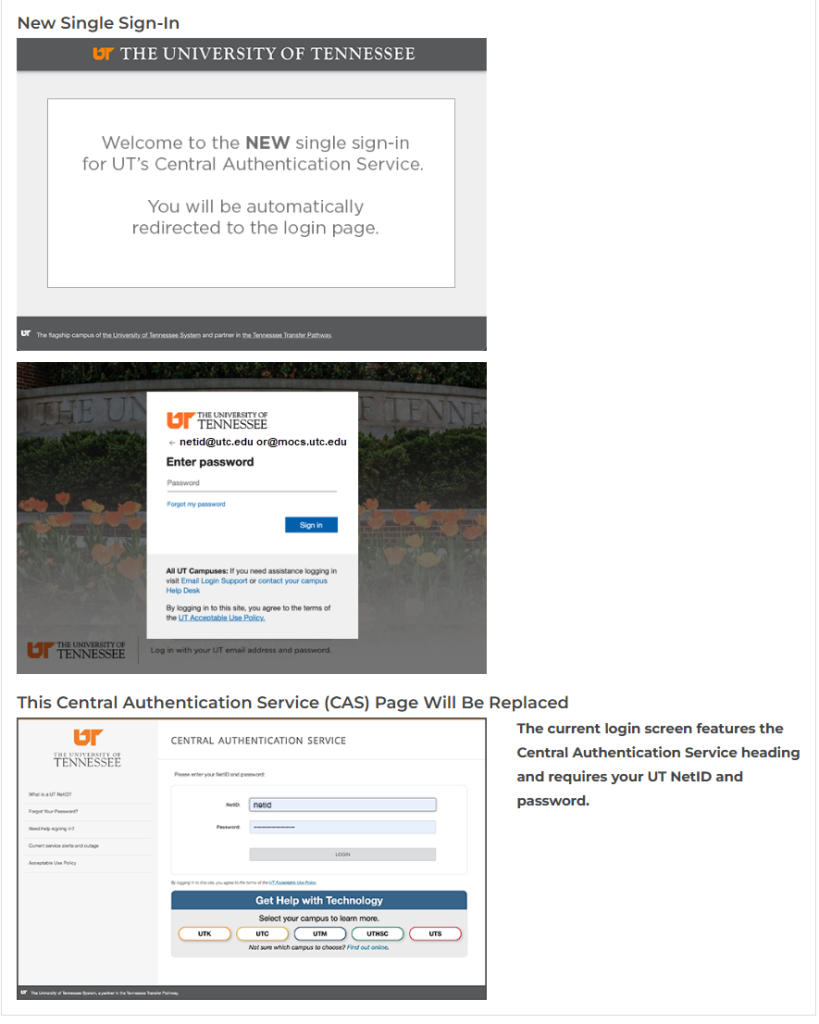
On May 27, 2026, UT will be updating how you sign into applications like Adobe Creative Cloud, DASH, Qualtrics, and Zoom. This change will affect any application that grants access using UT’s Central Authentication Service where you are currently prompted to sign in with your NetID. After the change, you will log into these applications with your Microsoft username instead of just your NetID.
What will look different on May 27:
- The sign-in page will have a new look.
- You will quickly be redirected to Microsoft’s sign-in page when logging in.
- If you are already signed in, you may not see the new screen until you log out.
How do I find my Microsoft username? Your Microsoft username is the address that you currently use to log into Outlook and other Microsoft 365 applications. It may also be located by going to MyMocsNet and looking for the O365 username in the “Account Info” widget. Typical format for Faculty and Staff is NetID@utc.edu and for Students is NetID@mocs.utc.edu.
This update continues our efforts to deliver a modern consistent authentication experience across university platforms.